macOS Tahoe has one feature that I adore: a setting to remove an app’s icon from the menu bar at the top of the screen. Far too many apps want to put their icon there for no helpful reason other than to remind me that they exist. That led to a proliferation of apps like Bartender (which I use to like before it sold out), Ice, and others that let users control what shows up in the menu bar.
I don’t need those apps anymore and I don’t miss them.
Here’s the 1Password icon in my menu bar. I have never, not once, ever used that icon for anything useful.

In System Settings > Menu Bar, I removed 1Password’s “Allow in the Menu Bar” permission.
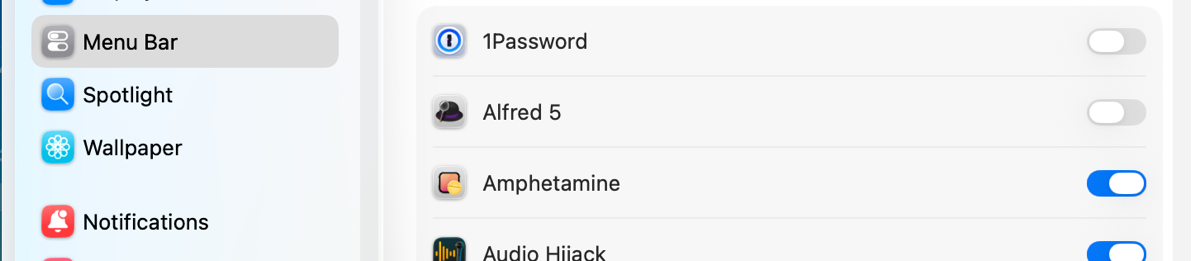
Ta-da! No more unnecessary icon, and no third-party menu bar manager app required!