
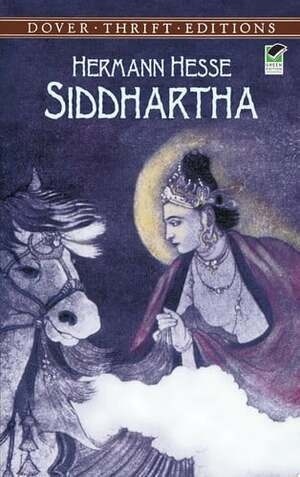
Currently reading: Siddhartha by Hermann Hesse 📚
Currently reading: Siddhartha by Hermann Hesse 📚
I just finished reading null: $cat /dev/null_ by Dienw Neb. I found an ad for it in the back of 2600 Magazine that piqued my curiosity. I’ve mentioned it here a couple times recently.
If you’re the kind of person who’d be reading these words I’m writing, you’d probably enjoy this book, and you should get your hands on a copy.
I don’t even know where to begin. There’s almost nothing I can tell you about the stories in it that wouldn’t spoil it in some way, and it’s far too good to take that away from you. Instead, I’ll talk about how it made me feel.
This book was made for me, personally. It could’ve been, anyway. It’s about me and my friends, hanging out in dodgy clubs, or rough parts of town, or late into the night on IRC, or in roomfuls of LAN party networks. Characters are arguing about the same stupid things we argue about. They troll each other in the same ways. People stick their head in to listen, catch a couple of sentences out of context, and nope out before they accidentally hear more. “Breathtaking” is usually hyperbole, but “Null” left me staring at a page, reading and re-reading it, breath held in wide-eyed wonder, at the magically realistic version of my youth on the page. Several times. It hooked me like few things ever have. If “Neuromancer” was the world I didn’t want, and “Snow Crash” the world I almost kind of wanted in spite of myself, “Null” was the world I’ve lived and breathed — but just foreign enough to remind me I was an outsider looking in.
And wow, is it different. If parts of our reality were embedded in “Null”, they were little bubbles of familiarity in a universe that’s fundamentally different in unspoken though almost tangible ways.
However, it’s not weird for the sake of being weird. I laughed out loud. Not a silent LOL that everyone knows is really a silent, tight-lipped fleeting grin. Actually out loud. I choked back tears during my morning commute. I closed my eyes and let my mind savor the poignant beauty, awed by the shared humanity of people in a timeline I wasn’t intended to fully understand. It’s a Moonlight Sonata, stunning and strange and haunting and sensuous.
This is not a book for everyone. Yet here you are, somehow in the placetime to be reading the random things I send to a screen. We likely have some life experiences in common, you and I. That means “Null” was made for you, personally, too. It’s inexpensive. Get a copy. When you’re done, please let me know. I’m dying to discuss this with someone.
PS: I think it’s base64. Let me know if you get further than that.

Currently reading: null: $cat /dev/null_ by Dienw Neb 📚
I found this in the back of a 2600 Magazine and it intrigued me.
I just finished reading “Lonesome Dove”. I see why so many people say it’s their favorite: it’s near the top of my list now, too. Wow. I hate that I’d passed it by for so long. I had it in my head that it was a romance novel of some sort, like “the lonesome dove sought her true love in the American West” or such. And in a way, it is. Even more, it’s a brilliant exploration of hopes, fears, motivations, and survival in a brutal environment.
Go read it. It’s great.
I found a book in Amazon Kindle format that I wanted to read. I couldn’t find it anywhere else, and I had some Amazon credits, so I bought it. The problem is, I don’t have a Kindle and don’t want one. I knew that Calibre has plugins to repair DRM-infected Kindle files but found that Amazon made changes to their apps last month that ruined that method. There’s a commercial DRM disinfectant for Macs that I downloaded to test, but it asked for some wild permissions and wanted me to disable SIP. LOL, no. Finally, I took to sailing the seas looking for a usable EPUB, figuring that I already bought a copy and of course it’s morally OK to seek someone else’s assistance in format-shifting my purchase to one I could use. This particular book — I learned of it from the back of a 2600 Magazine — was niche enough that it wasn’t even available that way.
I am not easily dissuaded.
First, I looked up the specs of my Kobo Libra 2 reader. Its screen is 1264x1680 at 300 DPI.
Next, I downloaded the Kindle app for my Mac. I opened the book I had just bought and adjusted the window size until the rectangle of text displayed on my screen was slightly smaller than the Kobo’s screen.
Then I wrote a Keyboard Maestro macro to take a screenshot, save it to an incrementally numbered PNG file, turn the page, wait one second for the page-turning animations to finish, and then repeat the process a few hundred times.
Now that I had screenshots of each page, I used ImageMagick to crop the Kindle app’s window decoration off them, with a script running command lines like:
$ magick kindle-001.png \
    -crop 1248x1597+342+182 +repage \
    -background white \
    -gravity center \
    -extent 1264x1680 \
    prepared/page-001.png
Finally, I combined them all into a single PDF with a command like:
$ img2pdf --imgsize 300dpi prepared/page-* --output mybook.pdf
…and tagged it appropriately with:
$ exiftool \
    -Title="My Book" \
    -Author="Jane Smith" \
    mybook.pdf
The resulting book looks good with crisp text. Although it’s a bunch of screenshots bundled together, it’s still only about 40MB in size and that’s tolerable here.
It would be nicer to have the book as a native EPUB. Since that wasn’t an option, my stubborness won and I made my own version.
I’m halfway through reading “Lonesome Dove”, and it struck me how much “Cyberpunk 2077” is basically the same kind of story. The people leading rough, savage lives on the edge of society carry pistols instead of cyberdecks, but the themes of survival at all costs and an attempt to eke out some kind of normalcy are the same.
If Dove were written now, I think we’d call it horsepunk.

Currently reading: A Confederacy of Dunces by John Kennedy Toole 📚
I deliberately know nothing whatsoever about this book, except that people liked it.

Finished reading: Accelerando by Charles Stross 📚
Alright, so this was not the best written book I’ve stumbled across. It was alright, but Strunk & White cried a few times along the way. But the world building and imagination and prediction accuracy? Fantastic. It’s not high art, but art nonetheless.
I’m on a bus reading “Accelerando” on a cheap Chinese ereader hacked with open source firmware. Siri in my ears periodically interrupts with a spoken summary of a Slack message from the company lawyer and I shake my head to dismiss it; I’ll be at the office soon anyway. The two guys in Patagonia vests next to me are one-upping each other with AI opinions that aren’t quite based in reality.
Just a regular commute in the Bay Area.

Currently reading: Beowulf: A New Translation by Maria Dahvana Headley 📚